Der Blick auf eine Wand voller Büromaterial kann verwirrend sein. Sie sehen Kartons mit der Aufschrift "20 lb", "24 lb" und "90 gsm", die alle behaupten, "Mehrzweckpapier" zu sein. Wenn sie alle weiß aussehen und in das Fach passen, ist es dann wirklich wichtig, welches Sie auswählen?
Die kurze Antwort lautet: Ja. Die Wahl des falschen Kopierpapiergewichts ist die häufigste Ursache für zwei frustrierende Büroprobleme: Druckerstaus und billig wirkende Dokumente.
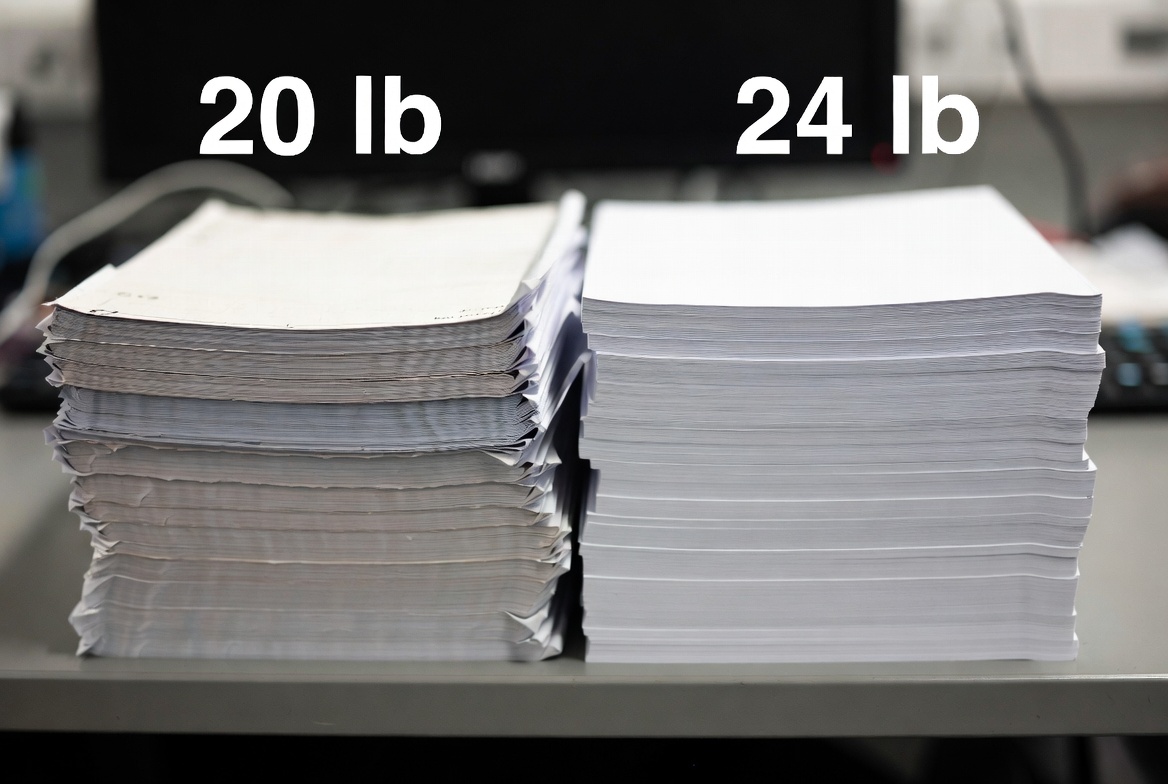
Dieser Leitfaden hilft Ihnen, die Zahlen auf den Verpackungen zu entschlüsseln. Wir vergleichen das Standardpapier (20 lb) mit dem Papier (24 lb), erklären die weltweit verwendete Metrik "GSM" und helfen Ihnen, das perfekte Blatt für Ihren Drucker auszuwählen, damit Ihre Arbeit immer professionell aussieht.
Die schnelle Antwort: Welches Gewicht gewinnt?
Für die meisten alltäglichen Bürotätigkeiten wie Kopieren und Entwerfen sind Standard 20 lb (75 g/m²) Papier ist die beste Wahl. Wenn Sie jedoch doppelseitige Dokumente oder Kundenpräsentationen drucken, benötigen Sie 24 lb (90 g/m²) Papier. Es ist dicker, heller und verhindert, dass die Tinte durchscheint, so dass Ihre Arbeit ein professionelles Finish erhält.
Die Zahlen verstehen: Lb vs. GSM
Bevor wir sie vergleichen, ist es hilfreich zu wissen, was diese Zahlen eigentlich messen. In der Regel werden Sie auf einem Blatt Papier zwei verschiedene Messwerte sehen.
Was bedeutet eigentlich "20 lb"?
In den Vereinigten Staaten verwenden wir "Bond weight". Das kann verwirrend sein, denn ein einzelnes Blatt Papier wiegt natürlich keine 20 Pfund.
Die Zahl bezieht sich auf das Gewicht der 500 Blätter (ein Ries) Papier in seiner werkseitig "ungeschnittenen" Größe (17″ x 22″). Wenn das Papier auf das Standardformat Letter (8,5″ x 11″) zugeschnitten wird, behält es die Angabe "20 lb" zur Beschreibung seiner Dichte.
GSM: Der weltweite Standard
Der größte Teil der Welt verwendet ein genaueres System: Gramm pro Quadratmeter (GSM). Damit wird die tatsächliche Dichte eines einzelnen Blattes Papier gemessen.
- Unteres GSM = Leichteres, dünneres Papier.
- Höheres GSM = Schwereres, dickeres Papier.
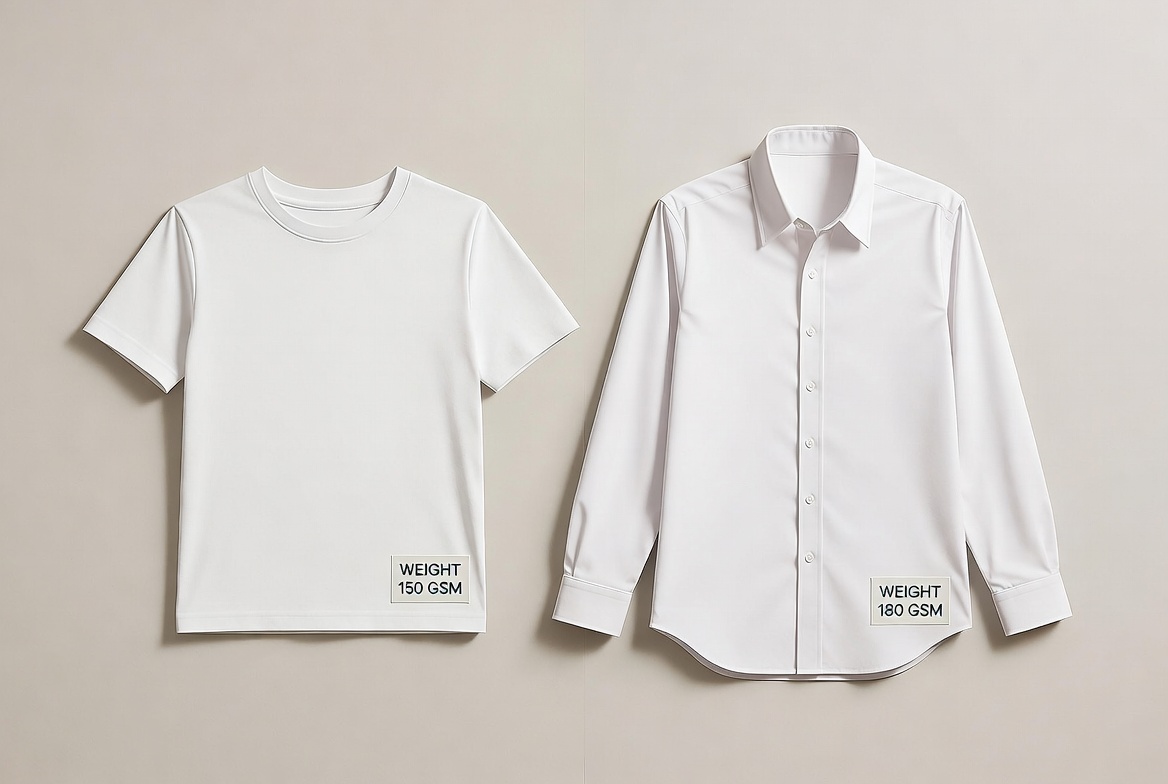
Konzept-Check: Denken Sie an 20 lb (75 g/m²) Papier wie ein normales Baumwoll-T-Shirt - funktionell und alltagstauglich. Denken Sie an 24 lb (90 g/m²) Papier wie ein knackiges Hemd - strukturiert, blickdicht und formell.
20 lb vs. 24 lb Papier: Der direkte Vergleich
Die beiden gebräuchlichsten Modelle für jedes Büro sind 20 lb und 24 lb Bond. Hier sehen Sie, wie sie sich unterscheiden.
20 lb Bond (Standard): Das alltägliche Arbeitspferd
Dies ist das Standardpapier, das Sie in den meisten Kopiergeräten finden.
- Am besten geeignet für: Großes Kopieraufkommen, interne E-Mails, Berichtsentwürfe und Faxversand.
- Das Gefühl: Es ist leicht und flexibel.
- Die Profis: Es ist kostengünstig und bietet mehr Platz in Ihrem Druckerfach und in Ihren Aktenschränken.
- Die Nachteile: Es hat ein hohes "Durchscheinen". Wenn Sie beide Seiten bedrucken, sehen Sie wahrscheinlich den Text von der anderen Seite, was das Lesen erschweren kann.
24 lb Bond (Premium): Der professionelle Standard
Dies ist die Stufe, die die meisten Büros für die externe Kommunikation verwenden.
- Am besten geeignet für: Lebensläufe, Kundenvorschläge, doppelseitige Berichte und Verträge.
- Das Gefühl: Es hat einen "Knacks". Wenn Sie es in der Hand halten, fühlt es sich fest und knackig an.
- Die Profis: Es ist glatter (besser für den Laserdruck) und viel undurchsichtiger. Doppelseitige Drucke sehen sauber aus, weil die Tinte nicht durchscheint.
- Die Nachteile: Es kostet etwas mehr pro Ries als normales Kopierpapier und nimmt etwas mehr Platz in einem Ordner ein.
Der "Durchsichtigkeitstest" (Opazität)
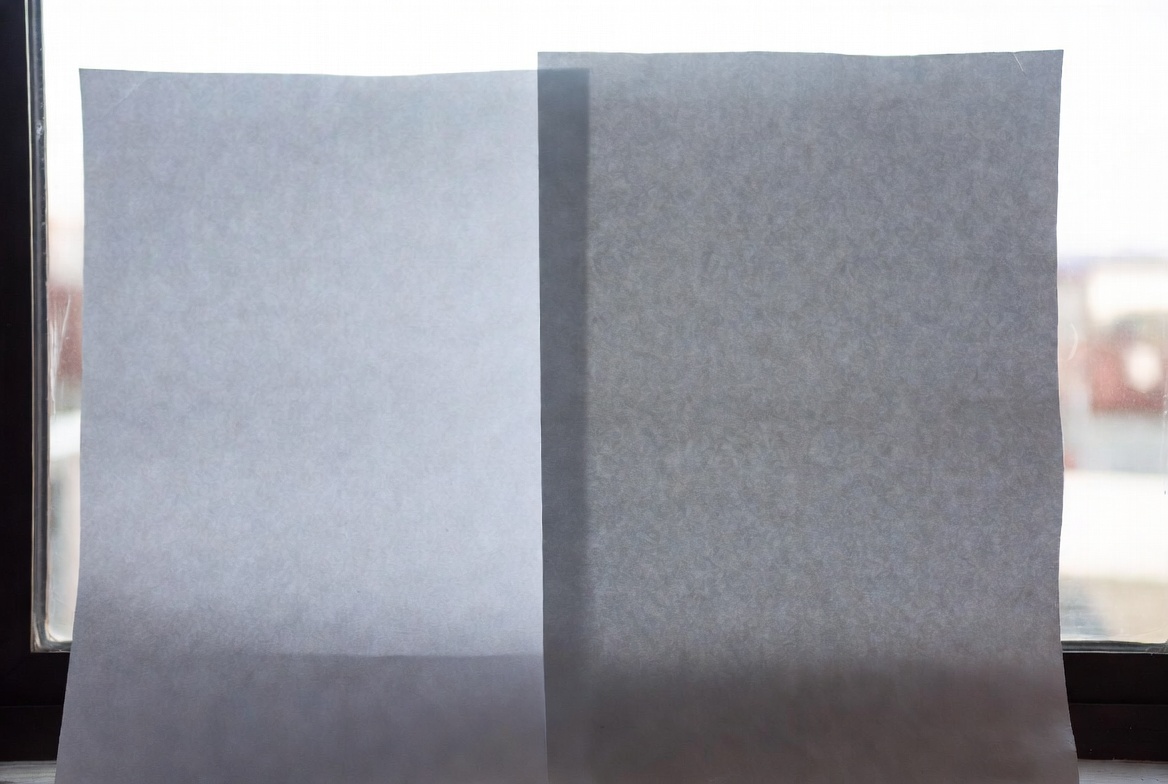
Die Opazität ist das größte Unterscheidungsmerkmal. Gemäß Industrienormen wie ISO 536 korreliert ein höheres Flächengewicht mit einer höheren Opazität. Wenn Sie einen Bericht mit Diagrammen oder fetten Überschriften auf 20 lb Papier ist das Bild oft auf der Rückseite sichtbar, was das Dokument unübersichtlich erscheinen lässt. 24 lb Das Papier ist dick genug, um den Text zu verdecken, damit sich Ihr Kunde auf den Inhalt und nicht auf die Papierqualität konzentrieren kann.
Kann schwereres Papier meinen Drucker verstopfen?
Eine häufige Befürchtung ist, dass "dickes" Papier in den Walzen stecken bleibt.
Die "sichere Zone" für Bürodrucker
Seien Sie unbesorgt: Standard-Büro-Laser- und -Tintenstrahldrucker sind dafür ausgelegt, mit 20 lb bis 28 lb Bond-Papier in ihren Hauptfächern ohne Probleme.
- 20 lb (75 g/m²): Der native Standard für alle Maschinen.
- 90 g/m2 (24 lb): Läuft reibungslos; klemmt oft weniger als billiges Papier, weil es steifer ist und sich bei großer Hitze nicht so leicht wölbt.
Wenn Sie das Bypass-Fach benötigen
Sie müssen sich nur dann Sorgen über Staus machen, wenn Sie in die Gewichtsklassen "Umschlag" oder "Karton" wechseln (normalerweise 65 lb Abdeckung oder darüber). Wenn Sie auf schwerem Karton drucken, müssen Sie das Fach für den manuellen Einzug (Bypass) verwenden, damit sich das Papier nicht um die Rollen wickeln muss.
Schnellreferenz-Tabelle: Umrechnung des Kopierpapiergewichts
Verwenden Sie diese Tabelle, um die Zahlen auf Ihre Bedürfnisse abzustimmen.
| Gewicht der Bindung (lb) | GSM (ungefähr) | Am besten geeignet für |
|---|---|---|
| 20 lb | 75 g/m² | Großes Kopieraufkommen, Entwürfe, interne Notizen |
| 24 lb | 90 g/m² | Briefköpfe, Lebensläufe, doppelseitige Berichte, Angebote |
| 28 lb | 105 g/m² | Farbige Präsentationen, Broschüren, hohe Farbdeckung |
| 32 lb | 120 g/m² | Juristische Dokumente, hochwertige Broschüren, Schilder |
Häufig gestellte Fragen zu Paper Weight
Ist 20 lb oder 24 lb Papier besser?
Keines von beiden ist generell "besser"; es kommt auf die Aufgabe an. 20 lb ist besser für Ihr Budget und die interne Ablage. 24 lb ist besser für Ihr Markenimage und die beidseitige Lesbarkeit.
Was ist das Standardgewicht für Kopierpapier?
Das Standardgewicht für normales Kopierpapier in den USA ist 20 lb Bond. In Ländern, die das metrische System verwenden, liegt die Norm bei 75-80 g/m².
Kann ich 24-Pfund-Papier in einem normalen Drucker verwenden?
Ja. Fast alle Standard-Desktop- und Bürodrucker können Papier mit einem Gewicht von 24 Pfund im Hauptfach verarbeiten. Dieses Papier wird in der Regel zuverlässiger eingezogen als leichteres Papier, da es weniger anfällig für statische Aufladung und Rollneigung ist.
Was ist der Unterschied zwischen 92 hell und 96 hell?
Während das Gewicht die Dicke misst, misst die "Helligkeit", wie viel Licht das Papier reflektiert. Ein Blatt mit einer Helligkeit von 96 sieht "weißer" aus und bietet einen höheren Kontrast als ein Blatt mit 92. Hochwertiges 24-Pfund-Papier hat oft auch einen höheren Helligkeitswert (96+) und sieht dadurch schärfer aus.
Sind Sie bereit, die Druckqualität in Ihrem Büro zu verbessern?
Überprüfen Sie Ihren aktuellen Papierkarton. Wenn dort "20 lb" steht und Sie mit den durchsichtigen Seiten oder der mangelnden Schärfe unzufrieden sind, ist es an der Zeit, ein schwereres Blatt auszuprobieren.
Benötigen Sie Hilfe bei der Auswahl des richtigen Papiers für Ihren speziellen Drucker oder Ihr Projekt? Kontaktieren Sie unser Team für Hilfe bei der Auswahl des Papiergewichts für Ihren speziellen Drucker oder Ihr Projekt.